Unity Scanner
Unified Editor and MCP scanner for Unity project health.
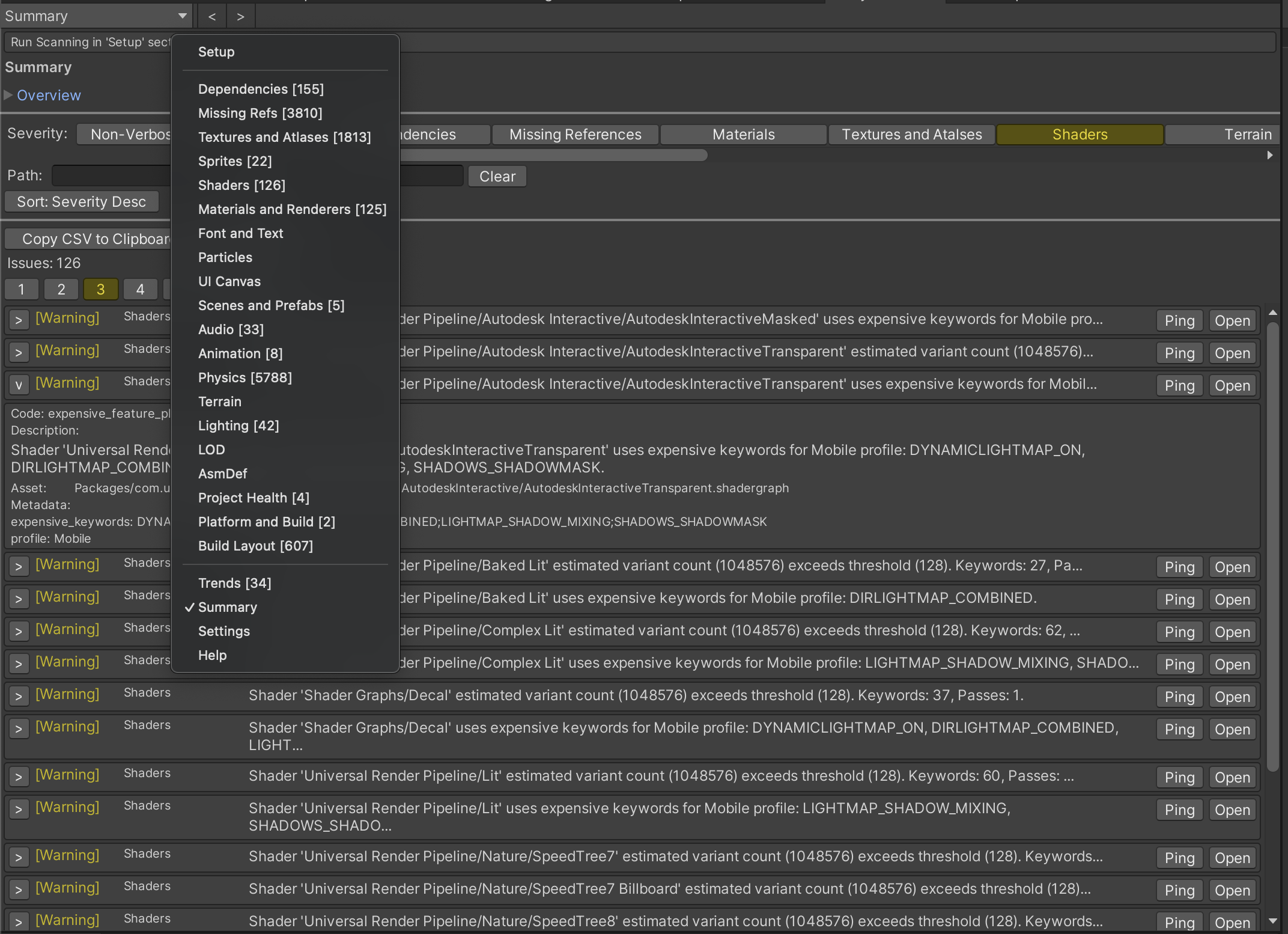
Analyze dependencies, shaders, Addressables, and many other categories from one tool.
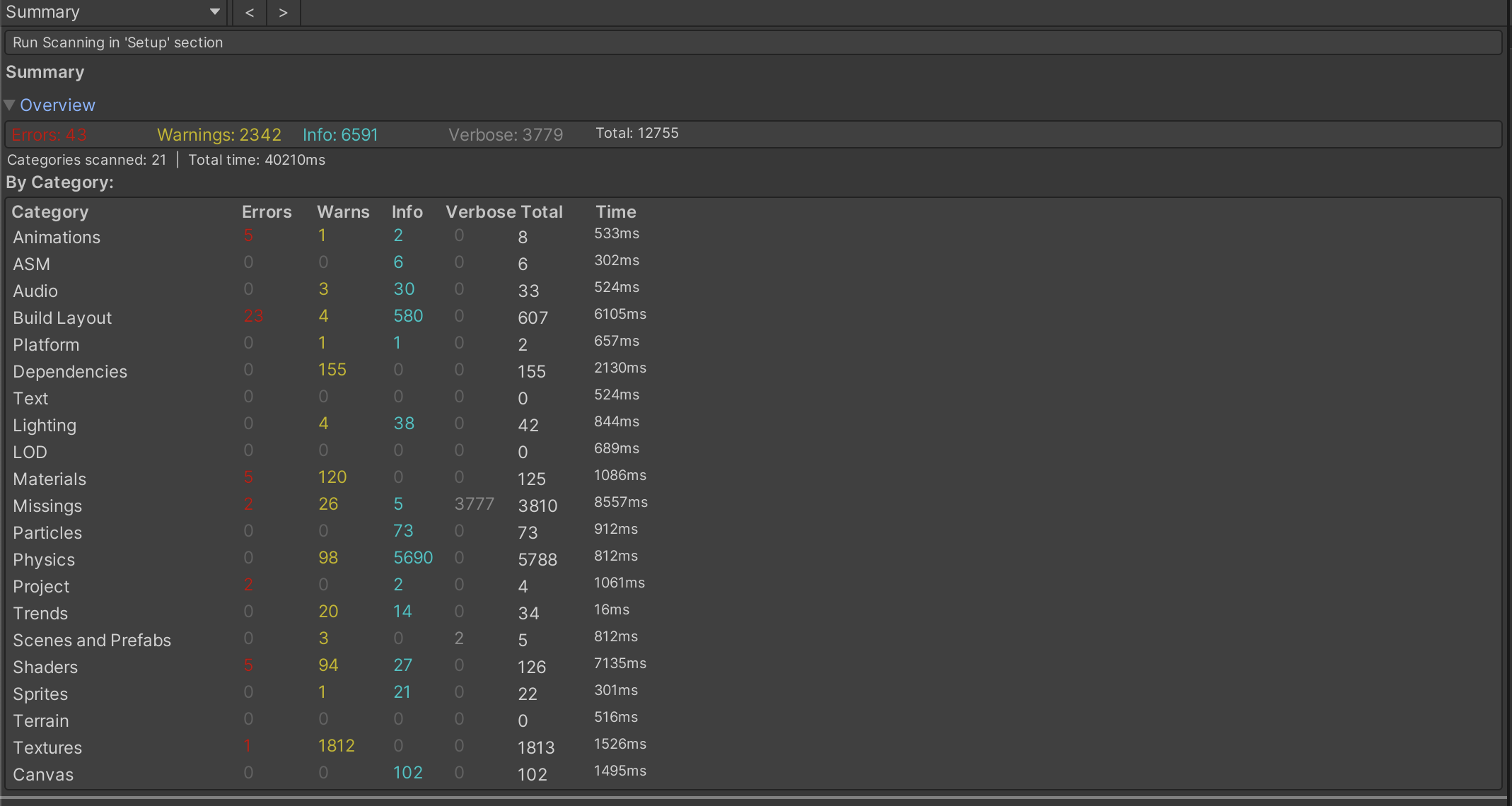
Unified Unity Editor and MCP tool for project health — one window for dependency scans, material and shader audits, Addressables layout checks, and automated CI gates.
Run from Tools > Unity Scanner, batch mode, or AI assistants via the MCP server.
Programmatic entry points for CI and batch mode. All runners return BatchResult and accept an optional BatchOptions.
BatchResult RunAll(BatchOptions options = null)
Runs all enabled analysis categories sequentially and aggregates results.
using UnityScanner.Batch;
var result = UnityScannerBatch.RunAll(new BatchOptions {
Categories = new[] { "dependencies", "missing_references", "materials" },
PlatformProfile = "mobile",
FailOnSeverity = "warn"
});BatchResult RunDependencies(BatchOptions options = null)
Scans the dependencies category — finds unreferenced and unused assets via reverse-dependency map.
UnityScannerBatch.RunDependencies();BatchResult RunMissingReferences(BatchOptions options = null)
Scans scenes, prefabs, and ScriptableObjects for broken GUID/FileID references and missing scripts.
UnityScannerBatch.RunMissingReferences();BatchResult RunMaterials(BatchOptions options = null)
Scans the materials category — null/builtin materials, missing shaders, duplicates, and SRP batcher compatibility.
BatchResult RunTextures(BatchOptions options = null)
Scans SpriteAtlases and Texture2D assets for atlas duplicates, compression issues, and oversized textures.
BatchResult RunAddressables(BatchOptions options = null)
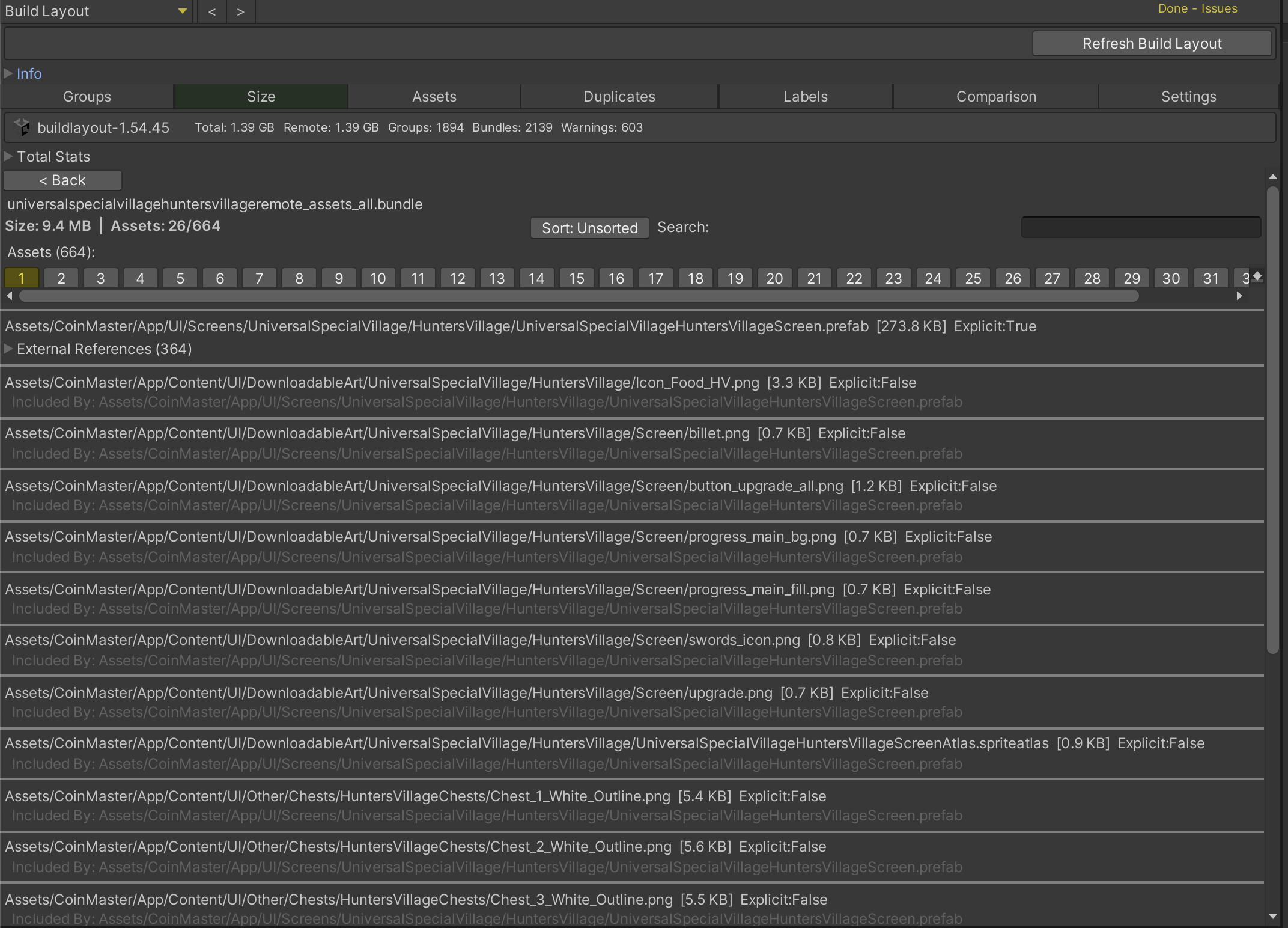
Parses Addressables Build Layout for circular dependencies, remote dependency issues, and duplicate assets.
var result = UnityScannerBatch.RunAddressables(new BatchOptions {
BuildLayoutPath = "BuildReports/BuildLayout.txt",
FailOnSeverity = "warn"
});BatchResult RunShaderAnalysis(BatchOptions options = null)
Finds error shaders, variant explosion, expensive keywords, and render pipeline mismatches.
UnityScannerBatch.RunShaderAnalysis(new BatchOptions { PlatformProfile = "mobile" });BatchResult RunTerrainAnalysis(BatchOptions options = null)
Checks terrain colliders, layers, control map memory, and density overages.
BatchResult RunFontTextAnalysis(BatchOptions options = null)
Detects TMP atlas growth risks, oversized atlases, and deep fallback chains.
BatchResult RunAudioAnalysis(BatchOptions options = null)
Finds load-type mismatches, oversized clips, and duplicate audio files.
BatchResult RunAnimationAnalysis(BatchOptions options = null)
Detects unreachable states, missing clips, state machine complexity, and duplicate clips.
BatchResult RunScenePrefabHealth(BatchOptions options = null)
Checks deep nesting, override explosion, broken references, and inactive object anti-patterns.
BatchResult RunBuildPlatformReadiness(BatchOptions options = null)
Validates import policies, platform compatibility, stripping risks, and startup budgets.
var result = UnityScannerBatch.RunBuildPlatformReadiness(new BatchOptions {
PlatformProfile = "mobile",
FailOnSeverity = "error"
});BatchResult RunParticleAnalysis(BatchOptions options = null)
Audits particle systems for emission limits, module count, trails, collision, and overdraw risks.
BatchResult RunUICanvasAnalysis(BatchOptions options = null)
Checks UI canvases for raycast targets, TMP mixing, vertex count, and nesting depth.
BatchResult RunLightingAnalysis(BatchOptions options = null)
Audits lighting for emissive GI, mixed-mode consistency, realtime light counts, and probe usage.
BatchResult RunLODAnalysis(BatchOptions options = null)
Checks LOD groups for missing levels, material mismatches, and screen transition settings.
BatchResult RunPhysicsAnalysis(BatchOptions options = null)
Audits rigidbody counts, mesh collider complexity, layer matrix, and physics materials.
BatchResult RunAsmDefAudit(BatchOptions options = null)
Audits assembly definitions for circular references, editor leakage, platform filters, and duplicates.
BatchResult RunProjectHealth(BatchOptions options = null)
Detects empty folders, orphaned .meta files, broken assets, empty scenes, and oversized directories.
BatchResult RunSprite2DAnalysis(BatchOptions options = null)
Checks 2D sprites for atlas unused ratio, packing issues, duplicates, and polygon vertex counts.
BatchResult RunRegressionTrend(BatchOptions options = null)
Compares scan results against a saved baseline to detect regressions and improvements.
var result = UnityScannerBatch.RunRegressionTrend(new BatchOptions {
BaselinePath = "CI/baseline.json",
RegressionThreshold = 0,
FailOnSeverity = "warn"
});BatchResult RunSelectedCategories(string[] categoryIds, BatchOptions options = null)
Runs a custom list of categories by ID in order.
UnityScannerBatch.RunSelectedCategories(
new[] { "dependencies", "shader_analysis" },
new BatchOptions { PlatformProfile = "mobile" }
);The MCP server uses a bridge architecture. Each tool call launches Unity in batch mode; results are written to a temp file and returned as text and JSON.
AI Client → stdio JSON-RPC → Node.js MCP Server → Unity batch mode → UnityScanner API → JSON result file
Tools exposed to AI coding assistants. Each call runs a fresh Unity batch instance (~10–30s startup).
Run all enabled UnityScanner categories and return a full project health report. This is the most comprehensive scan.
"Run a full project scan and tell me what's wrong"Run a specific UnityScanner category by ID. Use unity_scanner_list_categories to discover available IDs.
"Check my project for shader issues"Run multiple selected UnityScanner categories by their IDs.
List all available UnityScanner categories with their IDs and enabled status.
"List all available scanner categories"Get current UnityScanner settings including active platform profile and category enable/disable states.
Set the platform profile for threshold comparisons. Profiles adjust severity thresholds for mobile, console, or desktop targets.
"Set the platform profile to mobile, then run project_health and build_platform_readiness"Compare current scan results against a previously saved baseline to detect regressions (new issues).
Run a full scan and save results as a baseline snapshot for future regression comparisons.
"Create a baseline snapshot of current project health"